
Free
The plugin costs nothing. We only manufacture once a product has been ordered from your site, so listing more costs you nothing.
Sell your own designs from the WordPress store you already run. Join the creators and businesses using Shop3D for effortless on-demand 3D printing and casting — open source, and free to install.
Production, 3D data, billing and delivery in one plugin, so WooCommerce stays the only thing you have to run.
The plugin costs nothing. We only manufacture once a product has been ordered from your site, so listing more costs you nothing.
Sell on demand in metals, precious metals, resins, plastics and more — one model can become a whole product range.
See materialsOrders go direct to your customers under your brand, or back to you to send on. You choose.
Shipping optionsUser management, 3D data management, billing, 3D printing and delivery in one place, with nothing else to wire together.
Request a demoThe plugin is straightforward to install and set up. These steps walk you through it — and if anything gets stuck, our team is here to help. Before you start, make sure WooCommerce is installed and your store runs over a secure HTTPS connection.
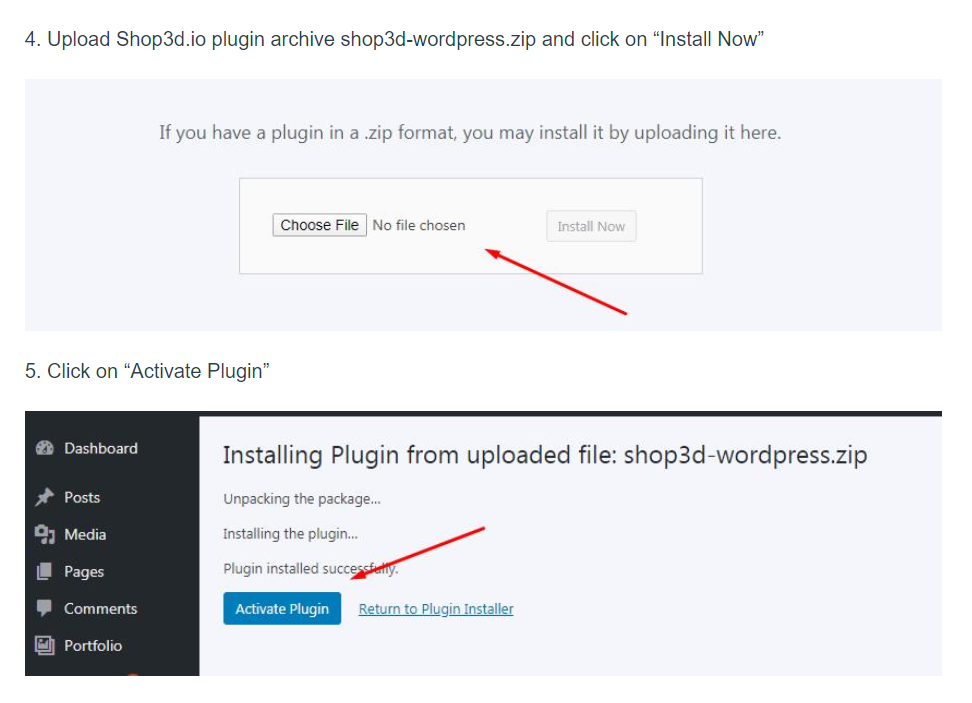
Add Shop3D to your WordPress store from the WordPress plugin directory, then activate it.
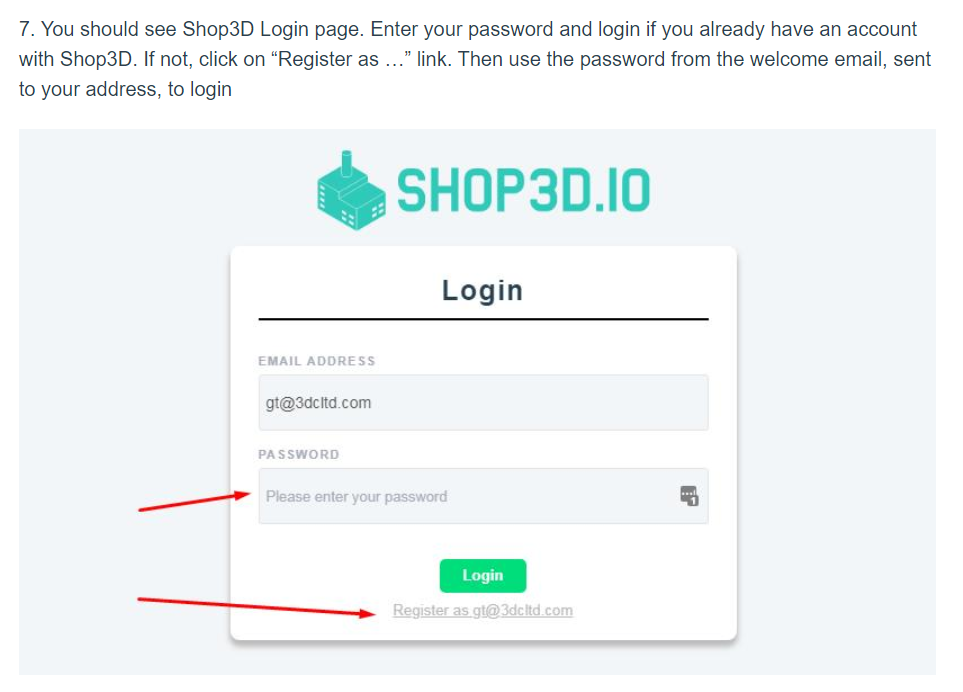
Go through the short settings list on the Shop3D home page to connect your store to your account.
Add your files to build a collection of products ready to sell.
Choose which materials and finishes each product should be offered in.
You decide what each variant sells for and keep the difference over our production price.
The products go live in your store, and your work is done. Orders come to us to make and ship.
An annotated screenshot for each step above, in the order you will meet them.
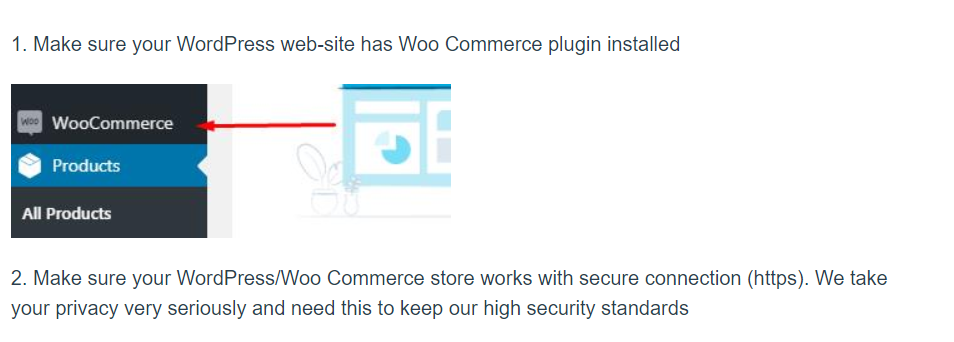
WooCommerce installed, and your store served over HTTPS.
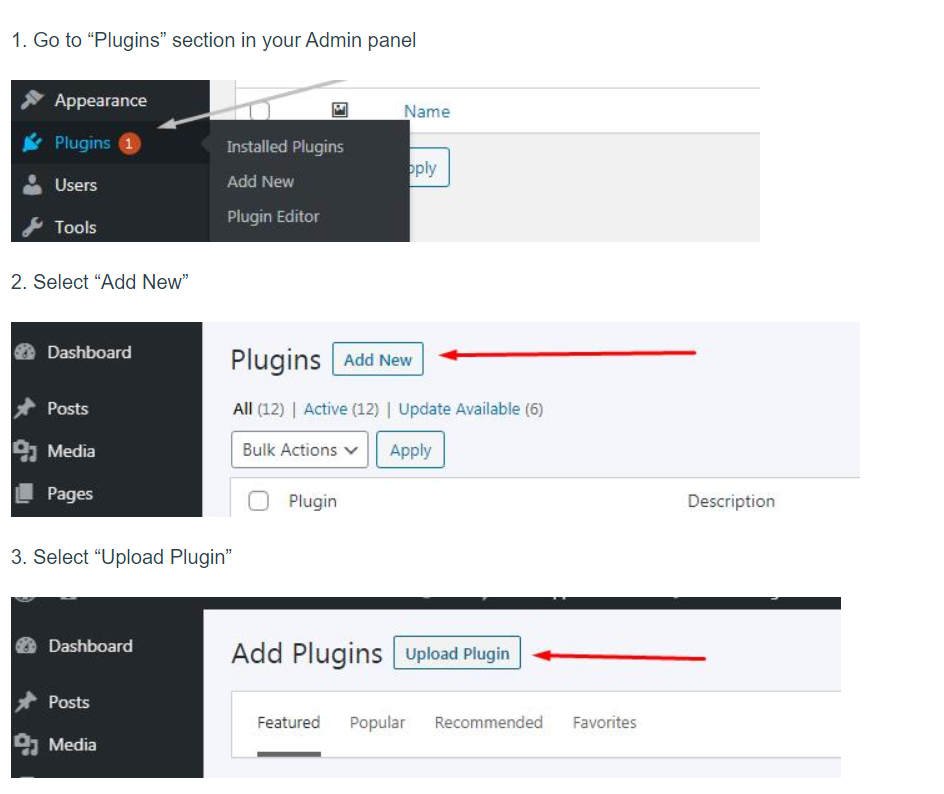
Adding the Shop3D plugin to your WordPress store.
Working through the settings list on the home page.

Uploading 3D files to create a collection of products.
Adding the material variants each product is offered in.
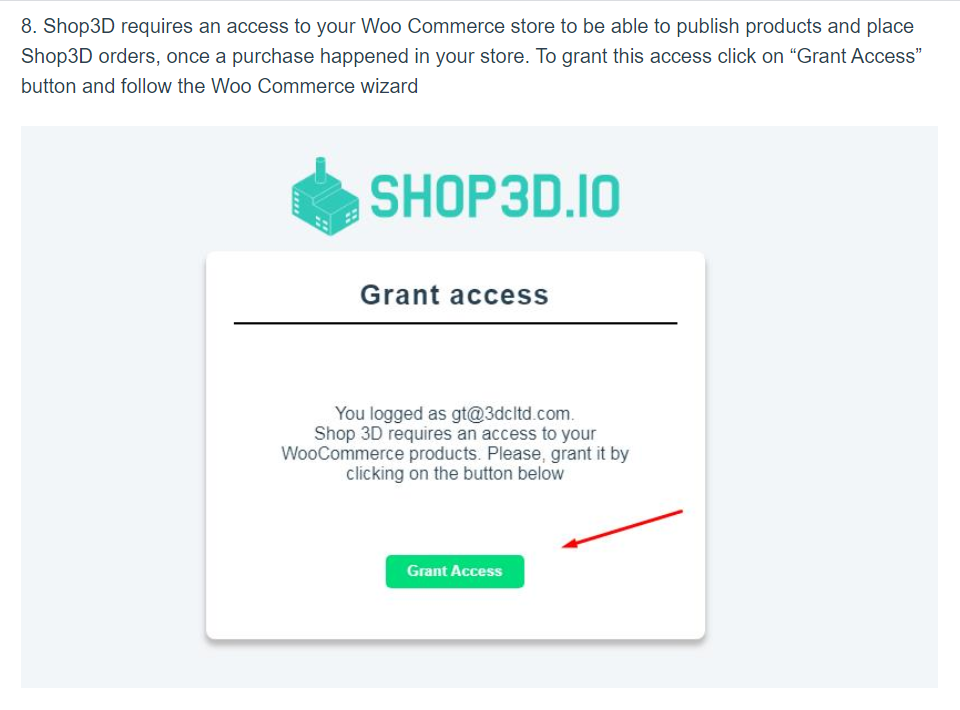
Setting your own retail price for each variant.
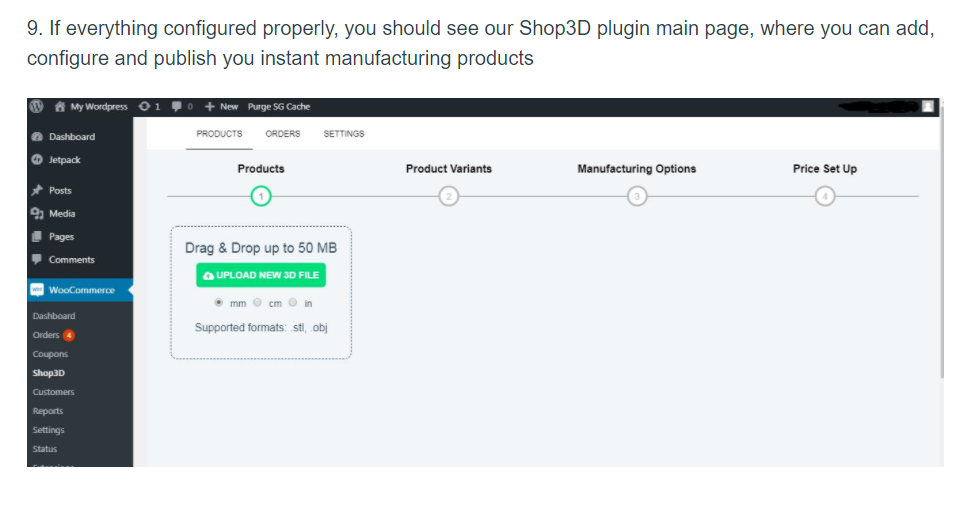
Publishing the products to your store.
Ship painted-ready resin models to buyers instead of digital files, with no stock and no minimum run.
Tabletop and figurinesList a full collection in gold, silver and platinum, and have each piece cast only once it has sold.
Jewellery manufacturingLet players order their character, ship or loadout as a real object from your WordPress store.
For gamesInstall the plugin, upload a model and set your price. Nothing is manufactured, and nothing is charged, until a customer buys.